
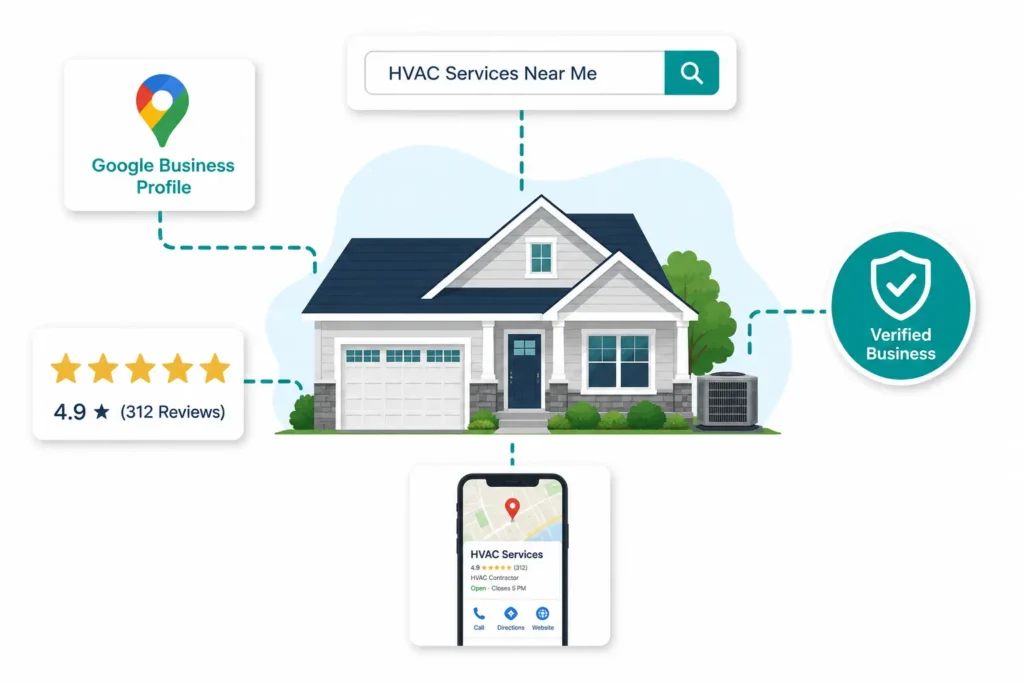
When a homeowner’s air conditioner quits on a 98-degree afternoon, they don’t browse. They grab their phone, type something like “AC repair near me,” and call whoever shows up first. Forty-two percent of all local search clicks go to the top three map-pack results. If your HVAC company isn’t one of them, you don’t exist to that customer.
Most HVAC contractors have a Google Business Profile. Most of them set it up once, forgot about it, and have been slowly losing ground to competitors who treat it as a living system ever since. A suspended profile — which can happen with no warning in 2026 — costs between $8,000 and $15,000 in lost revenue every month it’s down.
This guide covers exactly one thing: your Google Business Profile. Not your website, not citation building, not service area pages. Just GBP — how to build it right, optimize every field that actually moves rankings, generate reviews in a way that compounds over time, and protect the profile from the suspension triggers and competitor attacks that blindside HVAC companies every week.
For the broader local SEO system this profile sits inside, see the complete HVAC local SEO guide.
What Google Business Profile actually does for HVAC contractors — and why most profiles underperform
Google Business Profile is a free local listing that determines whether your HVAC company appears in the map pack — the three businesses shown at the top of local searches with a map, phone number, and star rating. Google’s local algorithm weighs three factors when deciding who shows up: proximity (how close your verified address is to the searcher), relevance (how well your profile matches the specific query), and prominence (how much Google trusts and recognizes your business overall).
Every HVAC local SEO tactic—categories, reviews, photos, posts, and citations—is optimizing one of those three levers. Most contractors only control proximity and stop there. Relevance and prominence are where the real ranking work happens, and they’re almost entirely determined by what you put into your GBP.
HVAC search behavior makes this more important, not less. When someone types “furnace not turning on” at 11pm in January, that’s not a research query. It’s a call waiting to happen. There’s no second tab open, no price comparison in progress. The company that appears to win the call. Generic local SEO advice doesn’t account for that emergency intent dynamic, or for the fact that HVAC is one of the industries Google specifically flags as high-risk for spam—which means tighter algorithmic scrutiny on your profile than a restaurant or retail shop would ever face.
How to set up and fully optimize your HVAC Google Business Profile — field by field
Claim, verify, and set your business type correctly
Before anything else: search for your business on Google Maps. More than a few HVAC companies have been “optimizing” a profile they don’t actually control, because a former employee or vendor set it up years ago. If you find an unclaimed listing, claim it at business.google.com before touching anything else.
Service area business vs. physical location is the first decision that matters. Most residential HVAC contractors should set up as a service area Business — you hide your address, list the cities and ZIP codes you serve, and Google still uses your verified location internally for proximity calculations. If you run a home-based operation, hiding your address isn’t optional; displaying a residential address as a customer-facing location is a policy violation that can get your profile suspended.
Verification in 2026 most commonly happens via short video. Google requires a continuous, unedited clip showing your street-facing signage, the surrounding area (neighboring businesses or street signs), and proof you’re operational—for a service vehicle, open the doors and show the tools inside. An HVAC technician should show refrigerant gauges and a vacuum pump. Generic tool photos get flagged. Once verified, you own the profile and can control what homeowners see first.
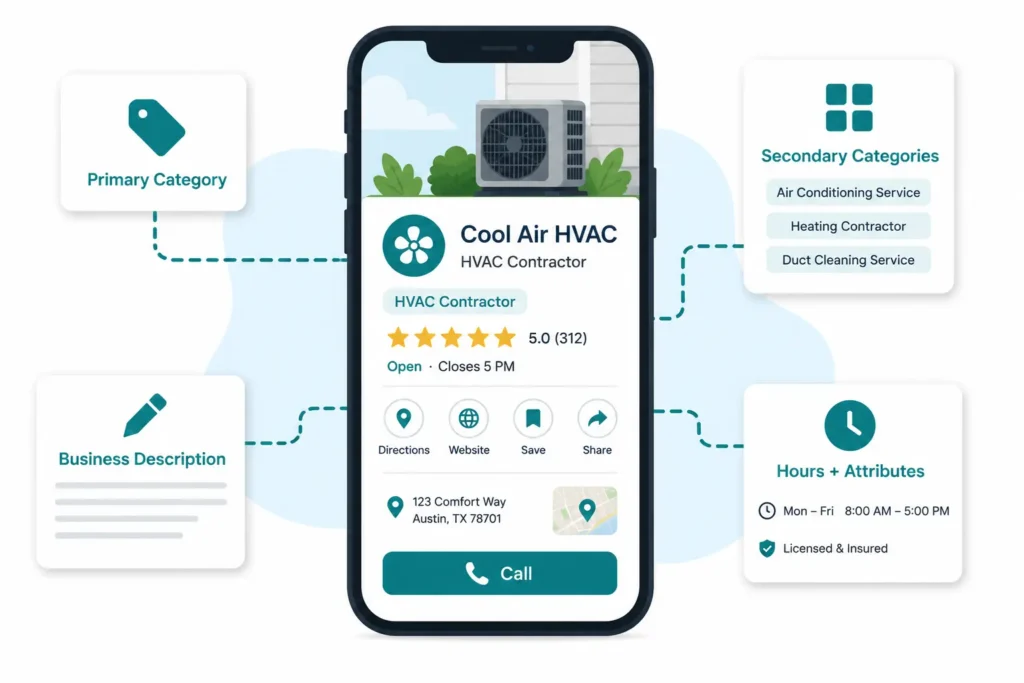
The HVAC GBP category matrix: primary plus all secondary categories
Your primary category is the single most powerful relevance signal you directly control. For most full-service HVAC companies, that’s HVAC Contractor. If you exclusively do one thing—only AC repair, no heating—then “Air Conditioning Repair Service” as primary makes sense. Otherwise, use HVAC Contractor as your anchor and build out from there.
Here’s how the category matrix maps to real queries:
| Category | Queries it unlocks |
|---|---|
| HVAC Contractor (primary) | “HVAC company near me,” “HVAC contractor [city],” “heating and cooling services” |
| Air Conditioning Repair Service | “AC repair near me,” “air conditioner not cooling,” “central air repair [city]” |
| Heating Contractor | “heating contractor [city],” “heating repair near me,” “heat not working” |
| Furnace Repair Service | “furnace repair,” “furnace not turning on,” “furnace tune-up [city]” |
| Air Duct Cleaning Service | “duct cleaning near me,” “air duct cleaning [city],” “HVAC duct cleaning” |
| Heat Pump Installation Service | “heat pump installation,” “heat pump installer near me,” “heat pump replacement” |
One tactic that almost no competitor articles mention: switch your primary category seasonally. In spring and summer, swap to “Air Conditioning Repair Service” as your primary. In fall and winter, switch to “Heating Contractor.” The secondary categories cover everything else year-round. This keeps your profile’s leading relevance signal aligned with what people are actually searching for right now — and it’s a five-minute change that compounds across every week of the season.
One hard rule: never add keywords to your business name. “Smith HVAC—AC Repair Heating Cooling Contractor” is a Google policy violation. It gets profiles suspended. Category selection does the relevance work keyword stuffing tries to force—and it does it without the risk.
Services, description, hours, and attributes: the fields most contractors half-complete
Services: Specificity is the difference between ranking for a query and being invisible to it. “AC repair” as a service entry does less than “Air conditioning repair and diagnostics.” “Installation” does less than “Central air conditioning installation” and “Heat pump installation and replacement” listed as separate entries. Write each service as a homeowner would describe the problem they’re trying to solve, not as industry shorthand. Add two to three sentences per service.
Description: You have 750 characters. Use around 500. Open with something that establishes credibility—years in operation, core service area, key certifications. Weave in your primary services naturally in context. A strong HVAC description reads something like “[Company] has served [City] and [neighboring cities] since [year], handling everything from emergency AC repair and furnace replacement to new HVAC system installations. Our NATE-certified technicians carry most parts on the truck — same-day service is available for urgent calls.”That’s real information. It’s not a keyword list.
Hours and attributes: If you offer 24/7 emergency service, use the dedicated emergency service attribute — that field appears in your map listing and actively differentiates you from competitors who list standard hours only. Update hours seasonally before peak demand starts, not after calls drop off. Attributes like “online estimates” and “veteran-owned” take two minutes to set and help customers pre-qualify themselves before calling.
Photos, short vertical video, and Google Posts: the 2026 activity signals
Profiles with regular photo uploads get significantly more direction requests and website clicks than dormant ones. Businesses with 250 or more photos consistently appear in the top-three map-pack positions more often than those with fewer. That’s not a coincidence — Google’s activity score treats photo frequency as a signal of an active, trustworthy business.
The photos that perform best for HVAC aren’t equipment close-ups or stock images of thermostats. They’re uniformed technicians at real job sites, branded service vehicles parked in recognizable neighborhoods, and before-and-after shots of clean equipment installations. A heat pump install photo with a local landmark visible in the background does more for geographic relevance than any stock photo ever will.
In 2026, short vertical video has become the highest-weighted media signal on GBP — and almost no HVAC companies are doing it. A 30 to 60-second clip of a technician walking through a maintenance checklist, completing an install, or explaining what a refrigerant pressure reading means consistently outperforms adding more still images. Film it on a phone. Keep it simple. The competitive gap here is enormous: one video per month puts you ahead of 95% of your local competitors.
Google Posts function as a lightweight activity feed. Post weekly. “Summer AC tune-up appointments are open — book before June and save $30 on a full system check” is enough. The goal is consistent presence, not content marketing.
Q&A preloading: the highest-leverage 10 minutes on your profile
The Q&A section is publicly visible and publicly editable. Anyone can post a question; anyone can answer it. Most HVAC companies leave it completely empty and discover a problem only when a homeowner — or a competitor — adds something unhelpful.
The better move: populate it yourself with the six to eight questions your dispatcher fields every single day.
Do you offer same-day emergency HVAC service? Yes—we offer 24/7 emergency HVAC service for heating and cooling failures. Call [number] for immediate dispatch.
Do you service all HVAC brands? We service all major brands including Carrier, Trane, Lennox, Rheem, and Goodman. Our technicians are NATE-certified.
Do you offer financing on new HVAC system installations? Yes, we offer financing through [partner] with approved credit. Ask about 0% APR options on qualifying equipment.
Each answer serves two purposes: it’s a topical relevance signal Google reads as part of your profile’s content footprint, and it handles the objections that kill conversions before a homeowner ever picks up the phone.
Building a review velocity system for your HVAC GBP and why total count is the wrong metric
Here’s what most HVAC companies get wrong about reviews: they focus on the number. “We have 112 reviews — that’s solid.” The number that actually moves Google’s algorithm is velocity—how many new reviews are arriving and how recently.
A company generating 15 new reviews per month, consistently, will outrank a company with 200 reviews collected in a campaign two years ago. For the complete ask system, automation setup, and seasonal velocity calendar, see the HVAC review strategy guide. Recency decays. What looked like a dominant review profile in 2023 has quietly become a liability in 2026 if nothing has been added since.
The two-step ask that removes awkwardness:
Step one happens at the job, before the technician leaves, after the work is done and the customer is satisfied:
“Really glad we could get this sorted for you. Quick question — how did everything go today? Was everything what you expected?”
A positive response triggers step two, which fires automatically within the hour via your field service software:
“Hi [Name], thanks for choosing [Company] today. If you have a minute, a Google review helps us a lot—here’s the direct link: [URL]. Takes about 60 seconds.”
The direct link is what makes this work. Sending someone to your website to navigate to your Google profile adds friction that kills follow-through. A direct review link eliminates it.
Automate it or it won’t happen consistently. Field service platforms like Jobber and ServiceTitan trigger review requests automatically when a job is marked complete — no manual step from the technician. DataPins adds a layer by enabling job-site check-ins with geo-tagged posts that appear as additional local content on your GBP. When your average ticket exceeds $200, both tools pay for themselves quickly.
One thing most guides skip: the content inside your review responses is a ranking signal. Google reads responses as part of your profile’s topical footprint. A response that naturally incorporates service type and geography adds relevance without any additional effort.
Before: “Thanks so much for the kind words!”
After: “Thank you, Sarah. We’re glad the furnace repair went smoothly—it’s always great helping customers in Gilbert. Don’t hesitate to call for any future heating or cooling needs in the East Valley.”
Both are genuine. Only one is also working as a local relevance signal.
Protecting your HVAC Google Business Profile from suspension, spam attacks, and competitor sabotage
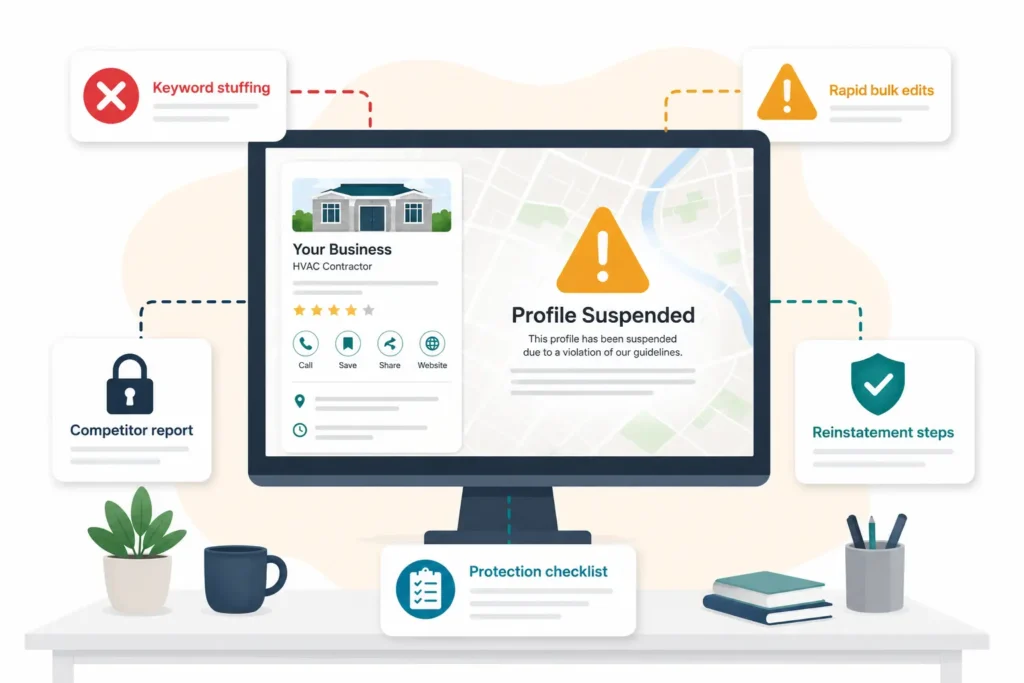
On February 9, 2026, Arnett Mechanical’s Google Business Profile was hit with a coordinated attack. Categories were removed. The review count dropped from 290 to zero. Within hours, the company was invisible for every “emergency HVAC near me” and “AC repair” search across Brazoria County, Texas. The attack was caught and reversed — but only because someone was monitoring the profile actively.
This isn’t a hypothetical. It’s a documented event, and the same attack pattern has hit HVAC companies in multiple states.
Why HVAC is a high-risk GBP category
Google flags HVAC alongside locksmiths and plumbers as industries with historically high spam and fraud activity. That means tighter algorithmic scrutiny on every edit you make, faster flagging of anything that looks unusual, and a higher baseline suspension risk than a business in a low-fraud category. A suspended HVAC profile doesn’t just lose rankings — it disappears from Maps entirely. Revenue losses of $8,000 to $15,000 per month during a suspension are documented and common.
The 2026 changes every HVAC company needs to know
Two significant shifts happened in early 2026 that most HVAC operators haven’t adjusted to.
April 16, 2026: Gemini-powered edit moderation went live. Google’s AI now screens profile changes before they publish. This means edits that previously appeared within minutes may take hours or days. More importantly, it means rapid bulk changes — updating your business name, address, service area, and primary category in the same session — are more likely to trigger an algorithmic flag than ever before. Make one change at a time. Let each change settle before making another.
April 27, 2026: a mass suspension wave hit home services businesses nationally. Legitimate HVAC companies were suspended alongside spam profiles because automated enforcement systems flagged broad patterns rather than individual violations. The businesses that recovered fastest had clean documentation ready: vehicle photos with equipment visible, permanent signage photos, business registration paperwork. If you don’t have that folder ready, build it today—before you need it.
HVAC GBP suspension triggers: the 9 violations contractors hit most
- Keyword stuffing in the business name (“Smith HVAC AC Repair Heating Cooling Contractor”)
- Displaying a physical address as a Service Area Business
- Listing 24/7 hours when that isn’t true
- Creating duplicate profiles for the same location
- Making multiple rapid edits to core fields in a single session (especially post-Gemini moderation)
- A sudden spike in reviews over a short period—Google’s spam detection flags unnatural velocity
- A manager’s Google account getting suspended, which can take your profile down with it
- Claiming certifications or service areas you don’t actually have
- Using stock photos that don’t represent your actual business
Any “no” on that list is a potential suspension waiting to happen.
GBP suspension recovery: step-by-step reinstatement
If your profile gets suspended, the sequence matters more than the speed.
Step 1: Stop making changes immediately. Every edit made while suspended can be used as evidence of further violations. Freeze the profile.
Step 2: Gather your evidence folder. Photos of permanent exterior signage. Photos of your service vehicles with tools visible inside (refrigerant gauges, vacuum pump). Utility bill or lease with the business address. Business registration documents. Business cards or letterhead.
Step 3: Identify the violation before appealing. Submitting a reinstatement request before fixing the underlying issue gets the appeal rejected and adds time. Go through the nine triggers above honestly. Fix what’s fixable first.
Step 4: Submit a reinstatement request through the Google Business Profile support page. Be factual and concise. Attach your evidence folder.
Step 5: If more than two to three weeks pass with no response, escalate through the Google Business Profile Help Community and request a Google Product Expert review. Timeline for straightforward cases: 5 to 14 days. Complex cases or those requiring manual review: 4 to 8 weeks.
For competitor attacks specifically—someone using “Suggest an Edit” to remove your categories or manipulate your listing—report through the Google Business Redressal Complaint Form. Keep a screenshot of your profile settings dated before the attack as evidence.
6 HVAC Google Business Profile mistakes that kill map-pack rankings — and how to measure what’s actually working
Mistake 1: Using one category and stopping. A single category makes you invisible to every query cluster outside it. Add all relevant secondary categories. It takes five minutes and immediately expands your eligibility across dozens of high-intent searches.
Mistake 2: Never switching the primary category seasonally. If your primary category says “HVAC Contractor” in July when everyone is searching for AC repair, you’re losing relevance to competitors who switched to “Air Conditioning Repair Service” in April. This is a five-minute change that most contractors never make.
Mistake 3: A dormant profile after setup. No posts. No new photos. No review responses. Google’s activity score is a real ranking input, and a dormant profile loses ground steadily to competitors who show up as active and current. One photo upload and one post per week is enough to stay competitive.
Mistake 4: Focusing on review count over velocity. 200 reviews collected two years ago is a weaker signal than 15 reviews per month collected now. Build a system that generates reviews consistently, not a campaign you run once—the HVAC review strategy guide covers the five-step ask process and seasonal calendar in full.
Mistake 5: Ignoring Q&A until a problem appears. Homeowners and competitors can add questions and answers to your profile. Preload the section yourself with common questions before anyone else does.
Mistake 6: Making rapid bulk edits in 2026. With Gemini-powered edit moderation now active, changing your business name, service area, categories, and hours in the same session raises algorithmic flags. One change at a time. Let it settle. Then make the next.
Measuring what actually works: Don’t measure GBP performance through general website traffic. The metrics that tell you what your profile is doing live inside Google Business Profile Insights: call clicks (how many people tapped your phone number directly from Maps), direction requests (how many asked for directions to your location), and profile views by query. For map-pack rank tracking across geographies, BrightLocal and Local Falcon show exactly where you appear and where you don’t across a ZIP-level grid.
Frequently Asked Questions
What is a Google Business Profile and why does it matter for HVAC companies?
Google Business Profile is a free listing that controls how your HVAC company appears on Google Search and Google Maps. For local searches like “AC repair near me” or “furnace installation [city],” the three companies shown in the map pack receive 42% of all clicks — and your GBP is the primary signal Google uses to decide who those three are. An incomplete or neglected profile directly costs you map-pack positions and phone calls.
What GBP category should an HVAC company choose as primary?
For a full-service HVAC company, “HVAC Contractor” is the correct primary category—it covers the broadest range of heating and cooling queries. If your business exclusively does one service (AC repair only, no heating work), then “Air Conditioning Repair Service” as primary makes sense. Add all relevant secondary categories regardless: Heating Contractor, Furnace Repair Service, Heat Pump Installation Service, and Air Duct Cleaning Service each unlock distinct query clusters.
Do I need a physical address to rank on Google Maps as an HVAC contractor?
No. Most HVAC companies operate as service area businesses and can hide their address while maintaining a verified GBP listing. Google still uses your verified location internally for proximity calculations — it just doesn’t display your address publicly. If you’re home-based, hiding your address isn’t optional; displaying a residential address violates Google’s guidelines and can trigger suspension.
How many Google reviews does an HVAC company need to rank in the map pack?
There’s no fixed threshold, but research shows that in competitive metro markets, fewer than 100 reviews puts you at a disadvantage—only about 7% of top-3 listings have fewer. More important than the total is velocity: 15 to 20 new reviews per month consistently outperforms a static count of 200 reviews with nothing recent. Build a system that generates reviews every month, not a campaign you run once.
Can a competitor get my HVAC Google Business Profile suspended?
Yes—and it happens. Anyone can submit a “Suggest an Edit” on your GBP or file a report claiming a guideline violation, which can trigger an automatic review or temporary suppression. The February 2026 attacks on HVAC companies in Texas and Florida are documented examples. The defense: maintain a dated screenshot archive of your profile settings, keep your evidence folder ready (signage photos, vehicle photos, business registration), and monitor your profile weekly for unauthorized edits.
How long does it take to see results from Google Business Profile optimization for HVAC?
It depends on the tactic. Category changes and service updates can show measurable impact in 4 to 8 weeks. Consistent review generation typically takes 2 to 3 months to shift your prominence score. Full map-pack improvement from comprehensive optimization—categories, activity, reviews, citations aligned—generally shows within 3 to 6 months, depending on how competitive your market is.
Conclusion: Your 30-day GBP action plan
Week 1: Claim and verify your profile. Set your primary and all secondary categories. Write an optimized business description. Set accurate hours and emergency service attributes.
Week 2: Upload 10 real photos — technicians, vehicles, job sites. Film one 30 to 60-second vertical video of a technician at work. Preload your Q&A section with six common customer questions.
Week 3: Set up automated review requests in your field service software. Send your first manual review requests to recent satisfied customers using the direct-link method. Respond to every existing review using the service + geography response formula.
Week 4: Run a protection audit—check all nine suspension triggers, build your evidence folder, set a weekly calendar reminder to monitor profile changes. Pull your GBP Insights baseline (call clicks, direction requests, profile views) so you have a before number to measure against.
Your Google Business Profile is the most direct line between your HVAC company and a homeowner who needs help right now. Optimizing it is the fastest way to generate more calls without spending more on ads.
For how GBP fits into a complete local ranking strategy—including citation building, service area pages, and the seasonal content calendar that puts you ahead of demand before it arrives—see the HVAC local SEO guide. And for how local SEO connects to Google Ads, Local Services Ads, and the rest of your marketing system, the HVAC digital marketing guide covers the full picture.